Steps to Verify the Status of an Expense Request


Steps to Verify the Status of an Expense Request
Checking the status of your expense request in Remoly is a quick and easy process. Follow these steps to stay informed about the progress of your submitted expenses:
Navigate to the Expense Section
Log in to your Remoly account and go to the "Expense" section from your dashboard. This section contains all your expense-related information.
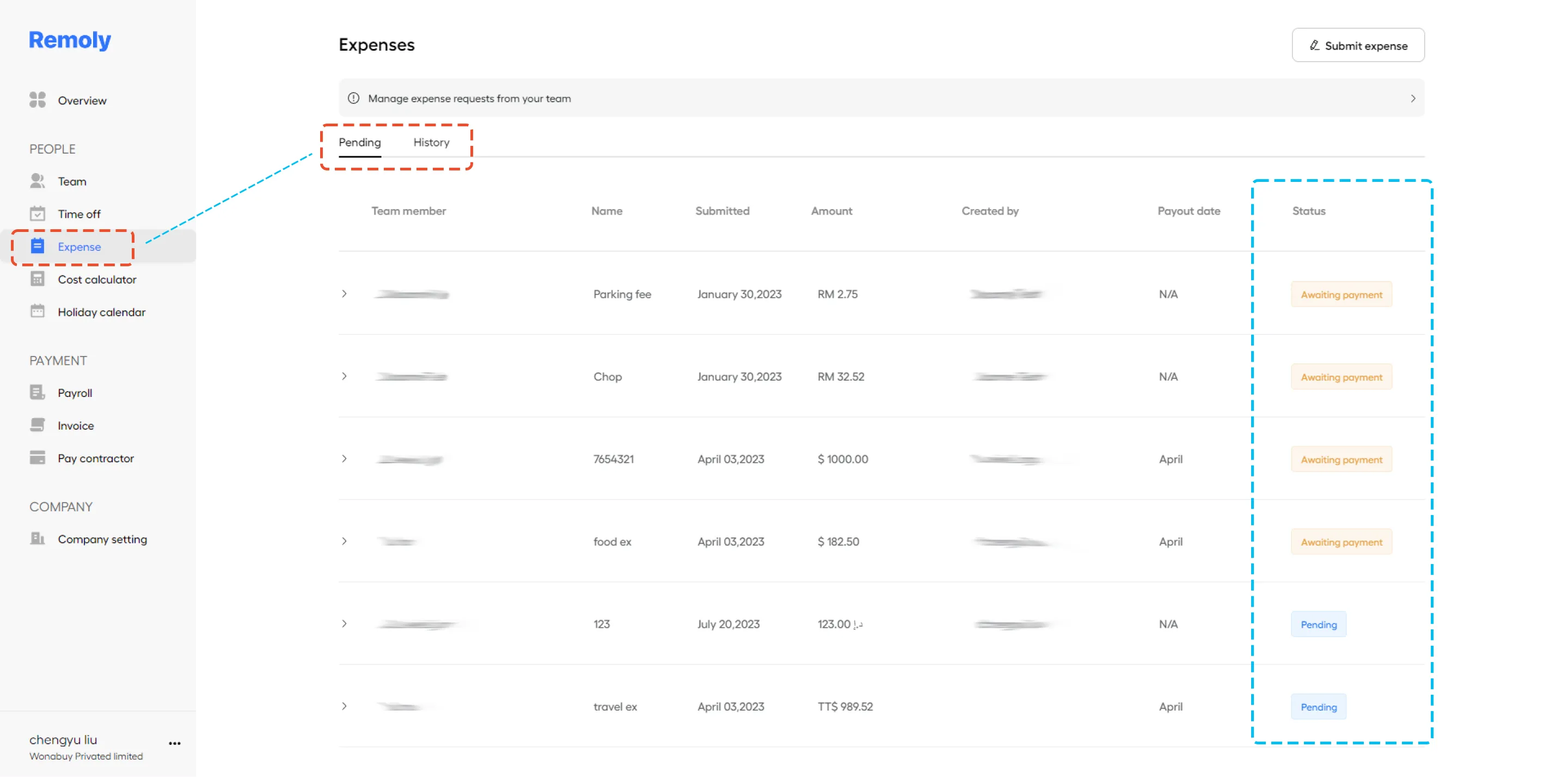
Locate Your Expense Request
Find the specific expense request you want to check by searching for its name or reference. Use any filters or search functions available to help you locate the exact request quickly.
View the Status and Details
Click on the expense request to view its current status. This will direct you to a detailed expense record where you can see the progress, approval status, and any additional notes or updates related to your request.
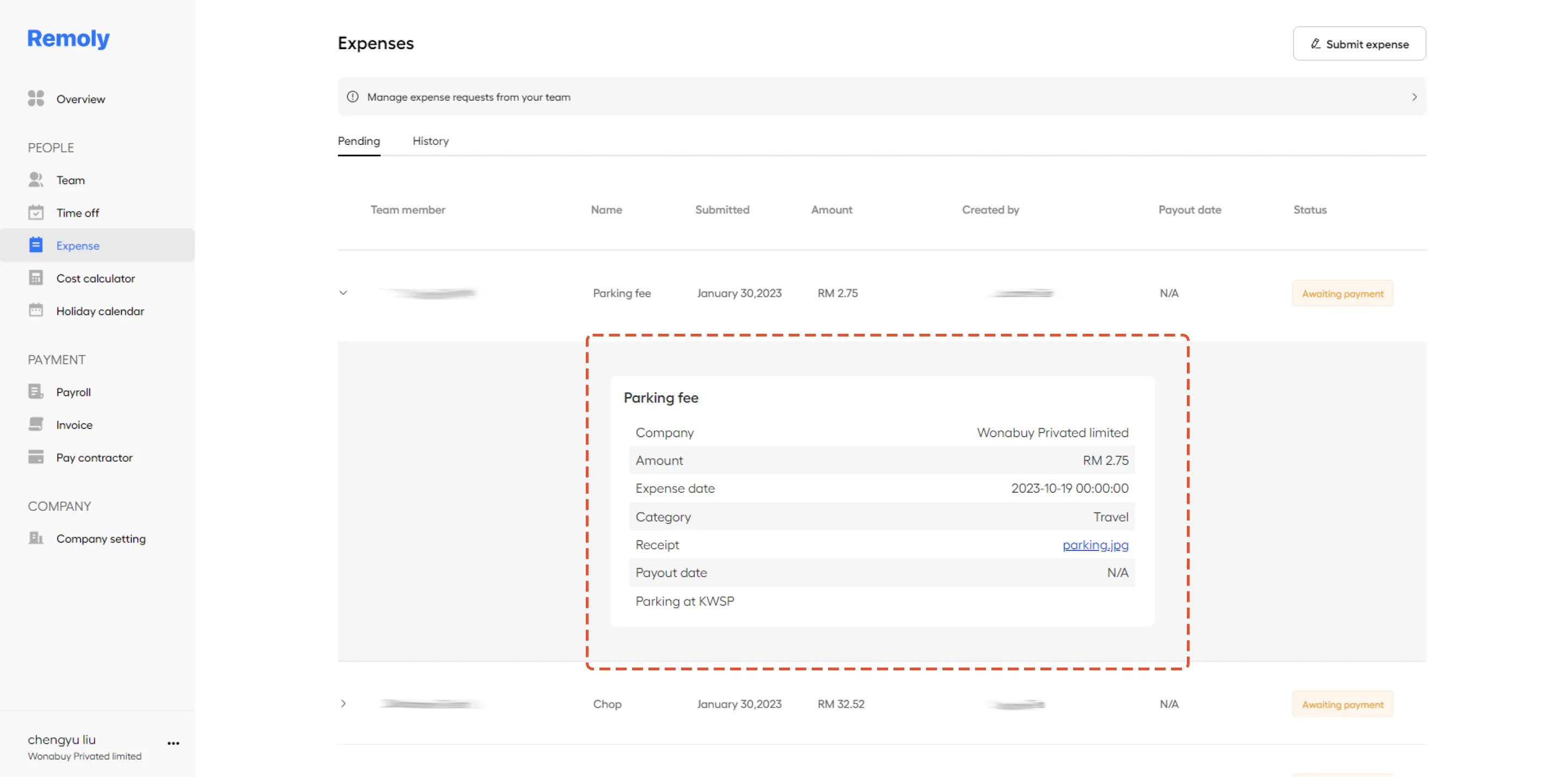
By following these steps, you can easily monitor the status of your expense requests and stay updated on their progress within Remoly.
|
Real-Time Expense Tracking for Global Teams Knowing the status of every expense request keeps your business running smoothly. With Remoly, you get real-time visibility into expenses, approvals, and reimbursements across your entire organization. Try Remoly's Expense Management |
Sources:
Remoly — Your Global EOR & Employer of Record Partner
Serving 100+ Countries & Regions Worldwide
* This article is for informational purposes only and does not constitute legal advice. For specific compliance guidance, consult a qualified professional.
Related Articles
