Updating a Manager's Name is Simple. Follow These Steps
To keep your team information accurate, it's important to update your managers' names when necessary. Here's how you can do it in the Remoly backend:
1. Click on 'Company Setting'
Start by logging into your Remoly account and navigating to the 'Company Settings' section. This is where you can manage all the details related to your company's structure and personnel.
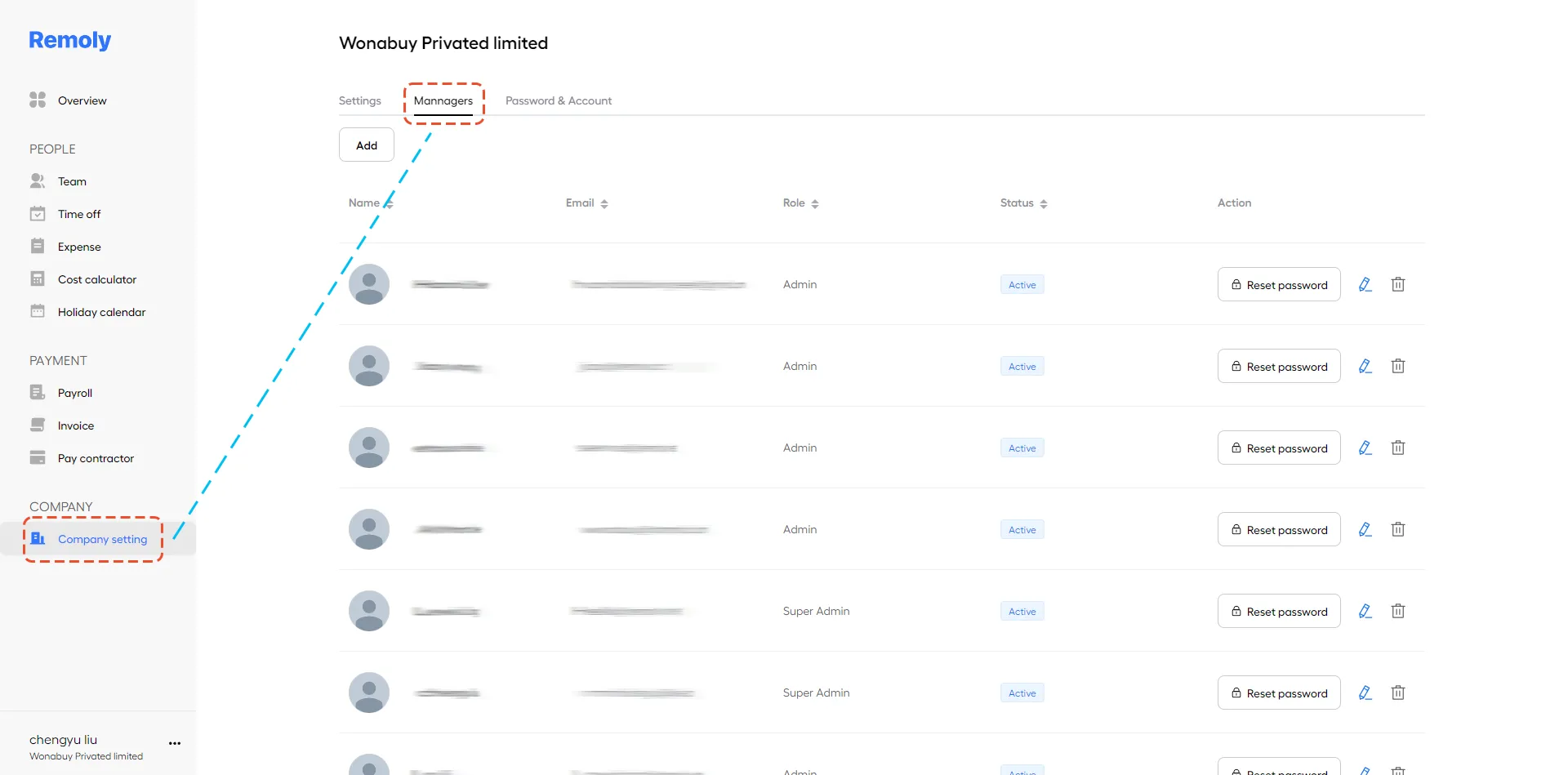
2. Select the Pencil Icon
In the 'Company Settings' section, find the manager whose name you need to update. Click on the pencil icon next to their name to open the editing options.
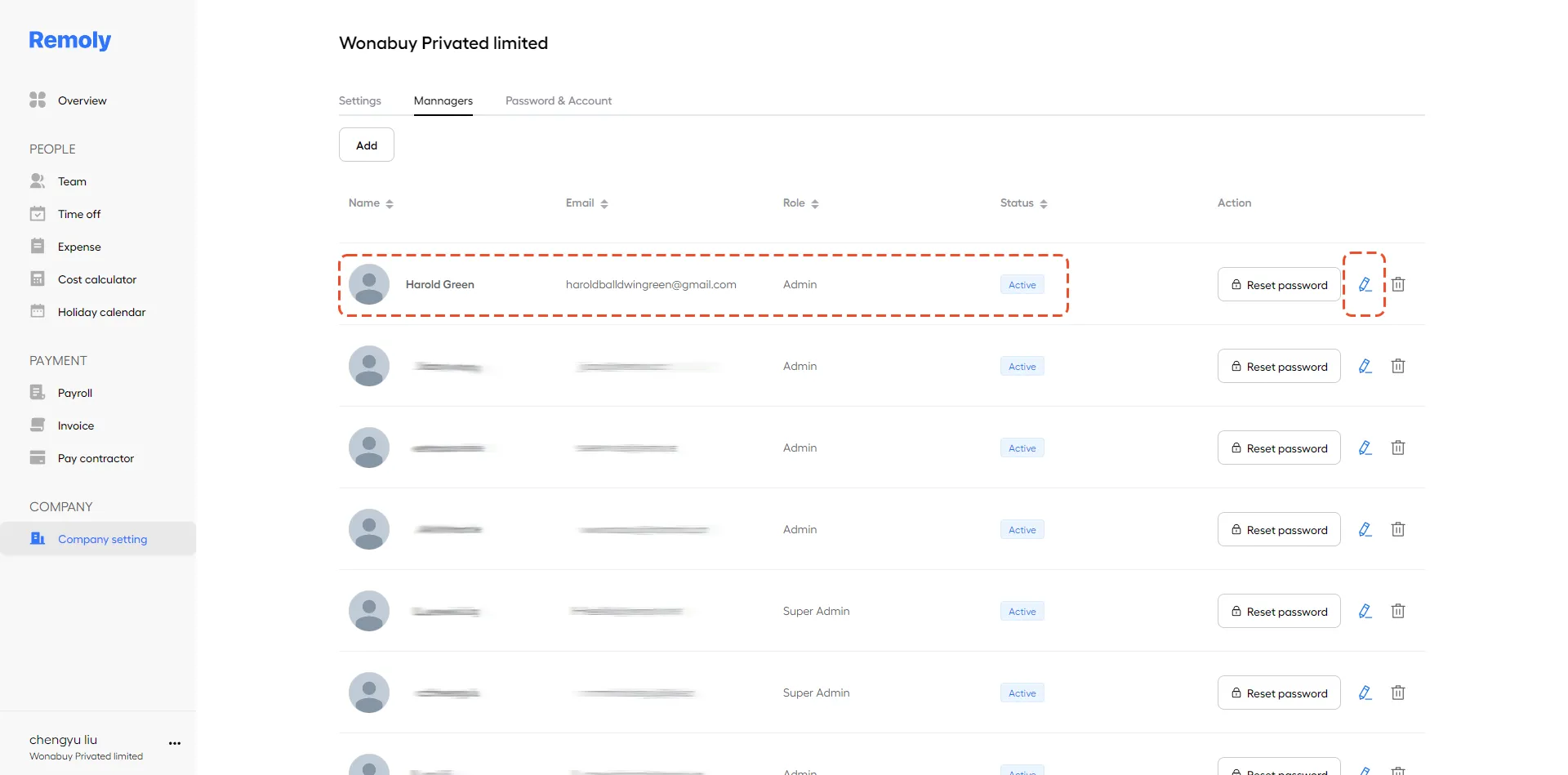
3. Edit the Name
You can now update the manager’s first name, last name, or both. Make the necessary changes and save them to ensure the updates are reflected across your system.
By following these steps, you can quickly and efficiently update a manager's name in Remoly, ensuring your team’s information remains current and accurate. For further assistance, consult Remoly's help resources.
|
Streamline Your Team Management with Remoly Keeping your team information accurate is just one part of effective workforce management. Remoly's all-in-one platform handles global hiring, payroll, compliance, and team administration across 100+ countries — so you can focus on growing your business. Get Started with Remoly |
Sources:
Remoly — Your Global EOR & Employer of Record Partner
Serving 100+ Countries & Regions Worldwide
* This article is for informational purposes only and does not constitute legal advice. For specific compliance guidance, consult a qualified professional.
Related Articles
