Checking and Downloading Invoices is a Breeze with These Steps
Managing your invoices efficiently is essential for seamless financial operations. Follow these steps to create, view, and download your invoices on Remoly.
STEP 1: Create the Invoice
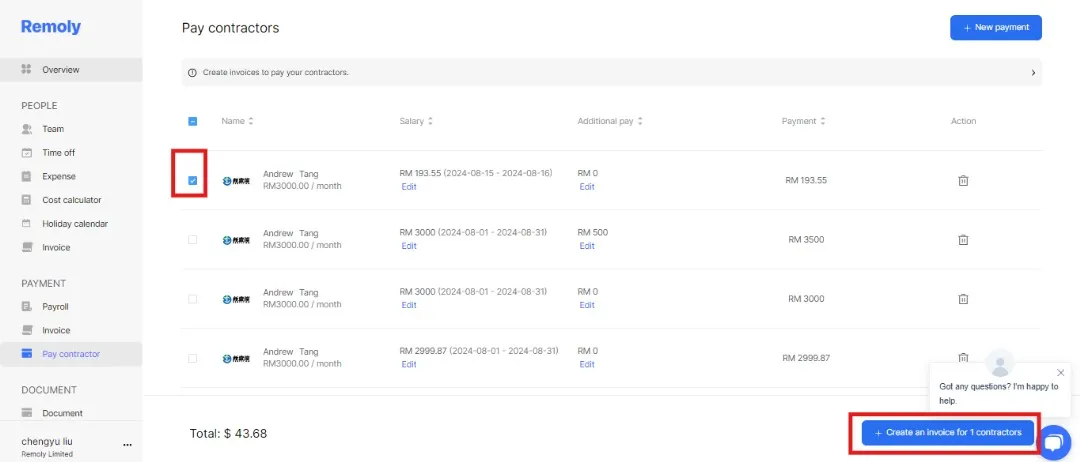
To start, head over to the "Pay Contractor" section. Here, you’ll see a list of your employees. Select the checkbox next to the relevant employee’s name, and then proceed to generate the invoice. This step ensures that the invoice is correctly prepared for the payment process.
STEP 2: Access the 'Invoice' Section
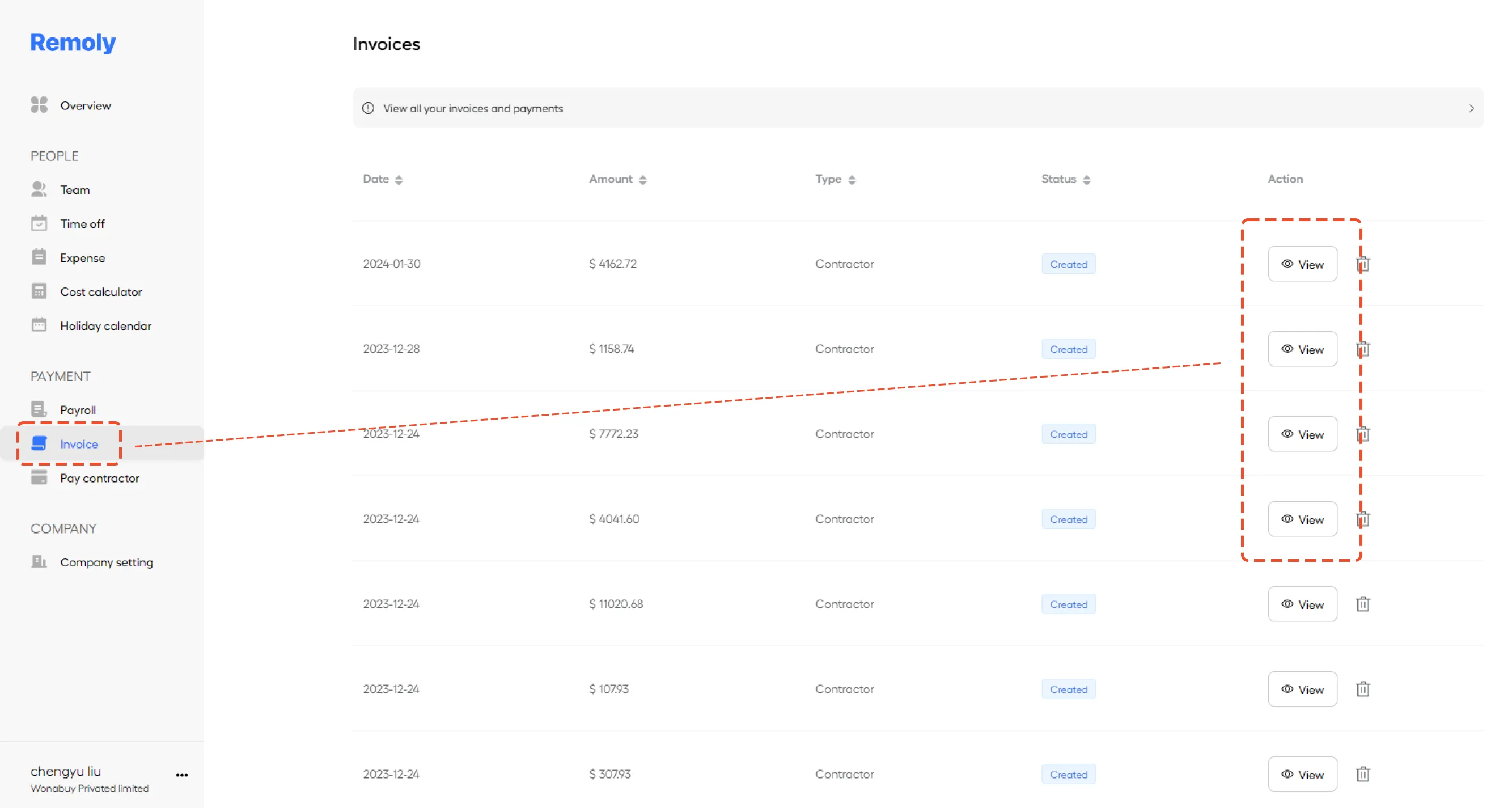
Once the invoice is generated, move to the 'Invoice' section. This is where all your invoices are stored and available for review.
STEP 3: View and Download Your Invoice
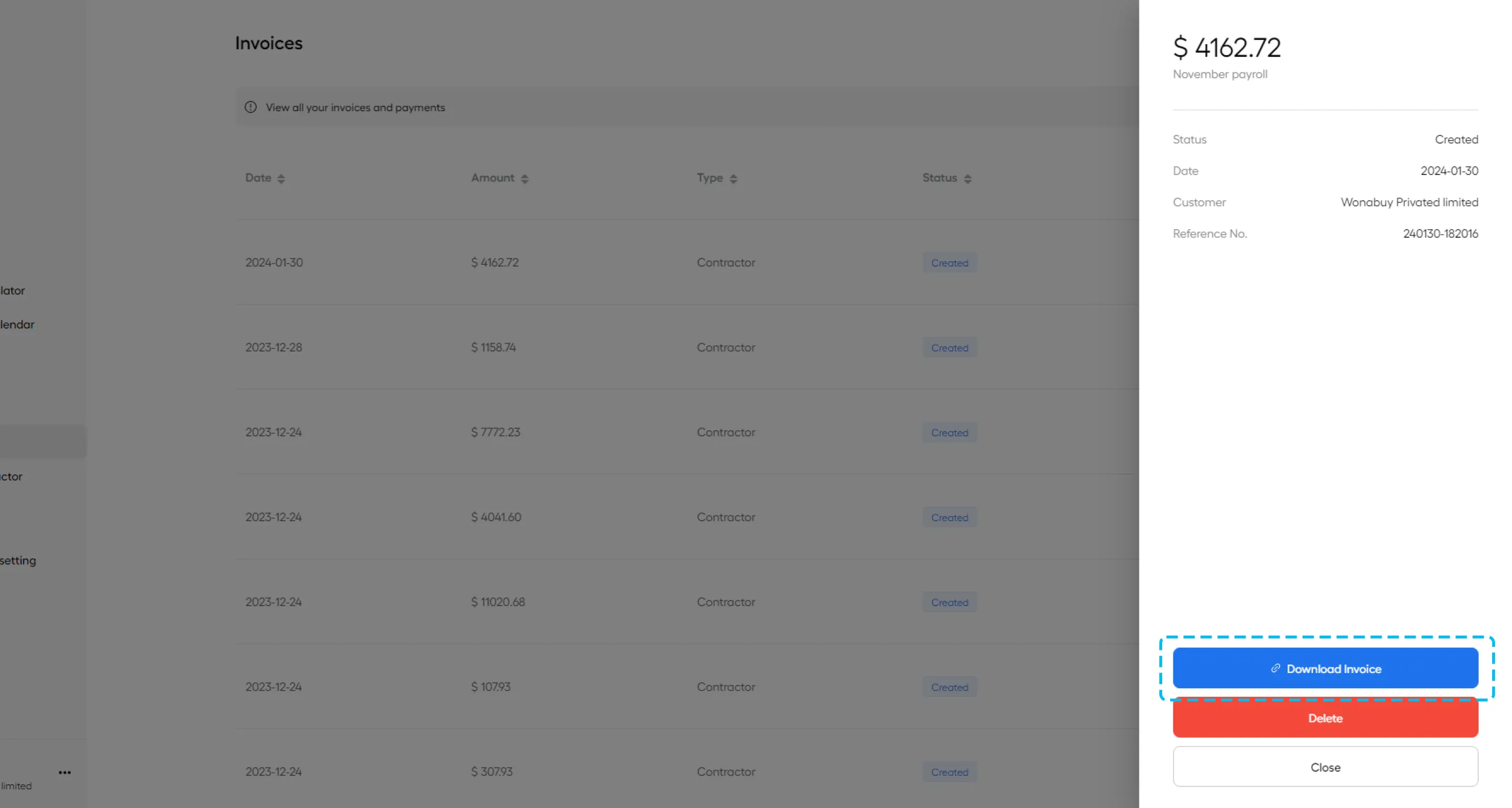
In the 'Invoice' section, find the specific invoice you need. Click on one of the invoices that have been made. From here, you can easily download the invoice for your records.
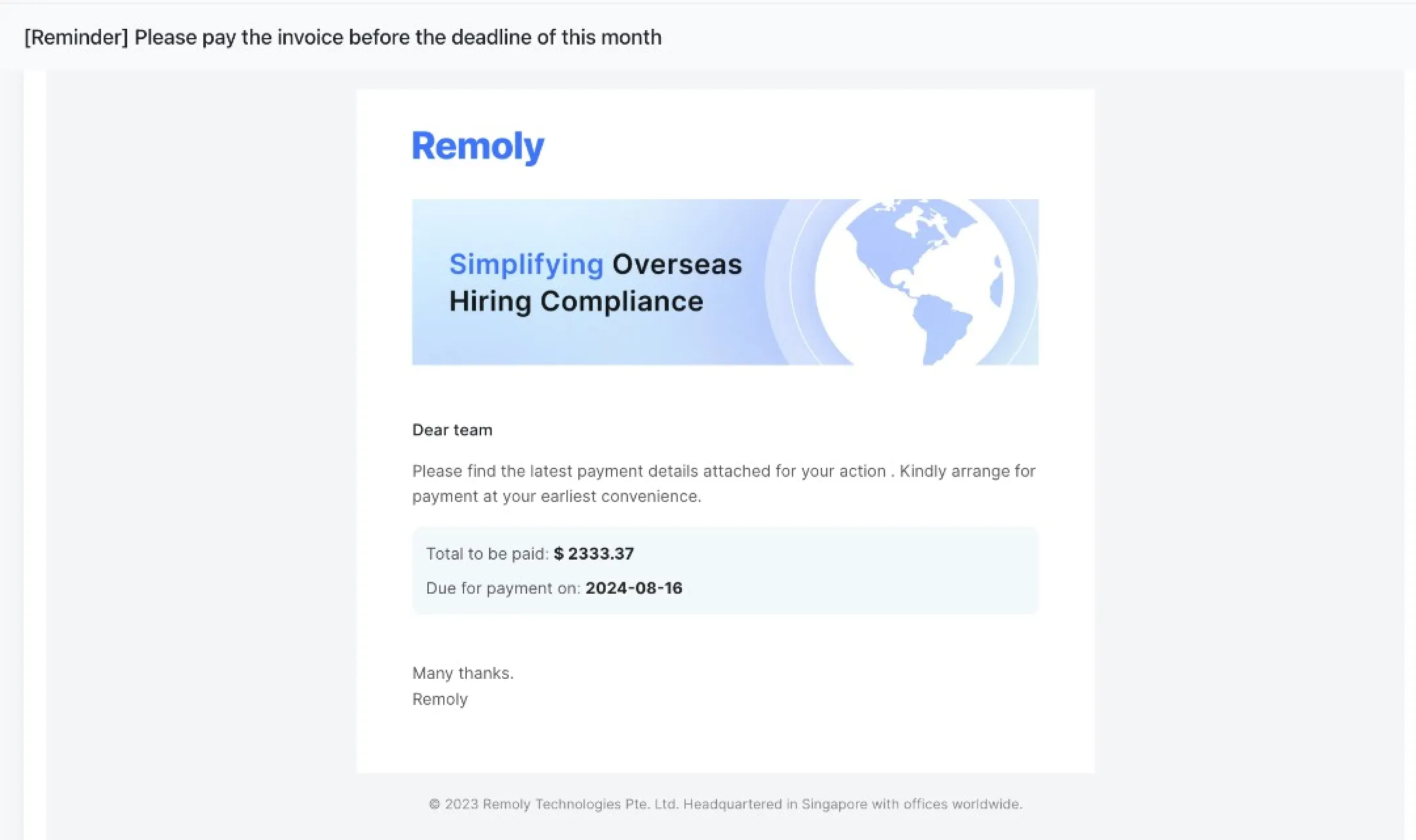
Additionally, the invoice will be automatically included in the email notification sent to the employee. Payment will be processed promptly once the payment is received, ensuring timely compensation for your team.
|
Simplify Your Global Invoicing and Payments Managing invoices across multiple countries and currencies can be complex. Remoly automates invoicing, payment processing, and tax documentation for contractors and employees worldwide — saving you time and reducing errors. Simplify Your Invoicing Today |
Sources:
Remoly — Your Global EOR & Employer of Record Partner
Serving 100+ Countries & Regions Worldwide
* This article is for informational purposes only and does not constitute legal advice. For specific compliance guidance, consult a qualified professional.
Related Articles
