Guide to Updating Company Details in Remoly


Guide to Updating Company Details in Remoly
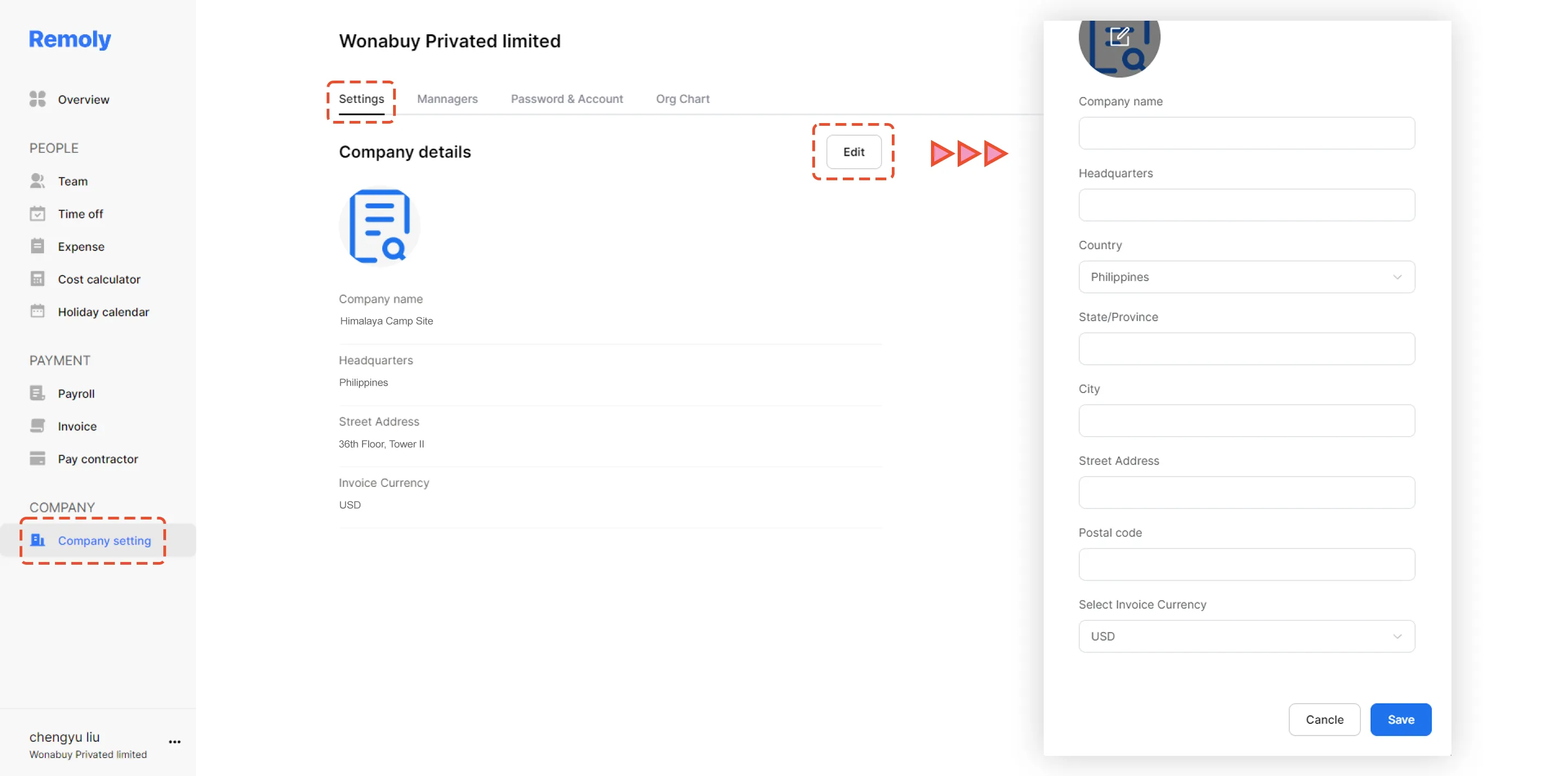
1. Navigate to your backend and select "Company Settings" within the Company category.
2. Choose the "Settings" tab.
3. Click on the "Edit" option.
Now you can make the necessary changes to the company information. Don't forget to click "Save" to ensure your updates are applied successfully.
|
Keep Your Company Profile Accurate with Remoly Your company details form the foundation of your global operations. Remoly makes it easy to update and maintain your company information, ensuring compliance and smooth communication across your organization. Learn More About Remoly |
Sources:
Remoly — Your Global EOR & Employer of Record Partner
Serving 100+ Countries & Regions Worldwide
* This article is for informational purposes only and does not constitute legal advice. For specific compliance guidance, consult a qualified professional.
Related Articles




Remoly, bringing it all together
All you need is the Internet and Remoly.