Editing Expense Requests: A Step-by-Step Guide


Editing Expense Requests: A Step-by-Step Guide
Editing expense requests in Remoly is a simple process that allows you to update or correct details in a pending expense submission. Follow these steps to make changes efficiently:
1. Go to the Expense Section
Log in to your Remoly account and access the "Expense" section from the main dashboard.
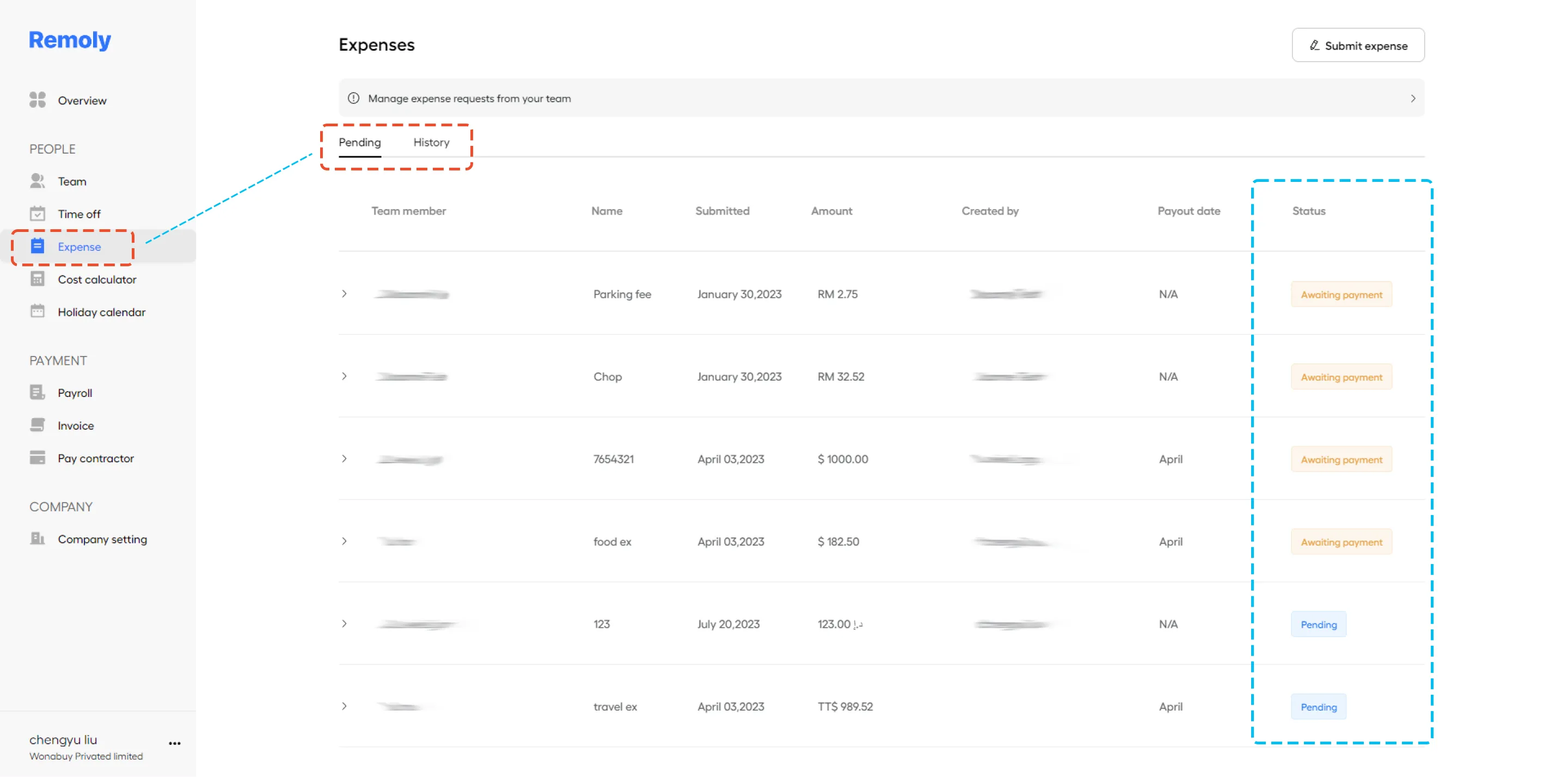
2. Find the Pending Request
Look for the member who has a pending expense request. You can use search or filter options to narrow down the list if needed.
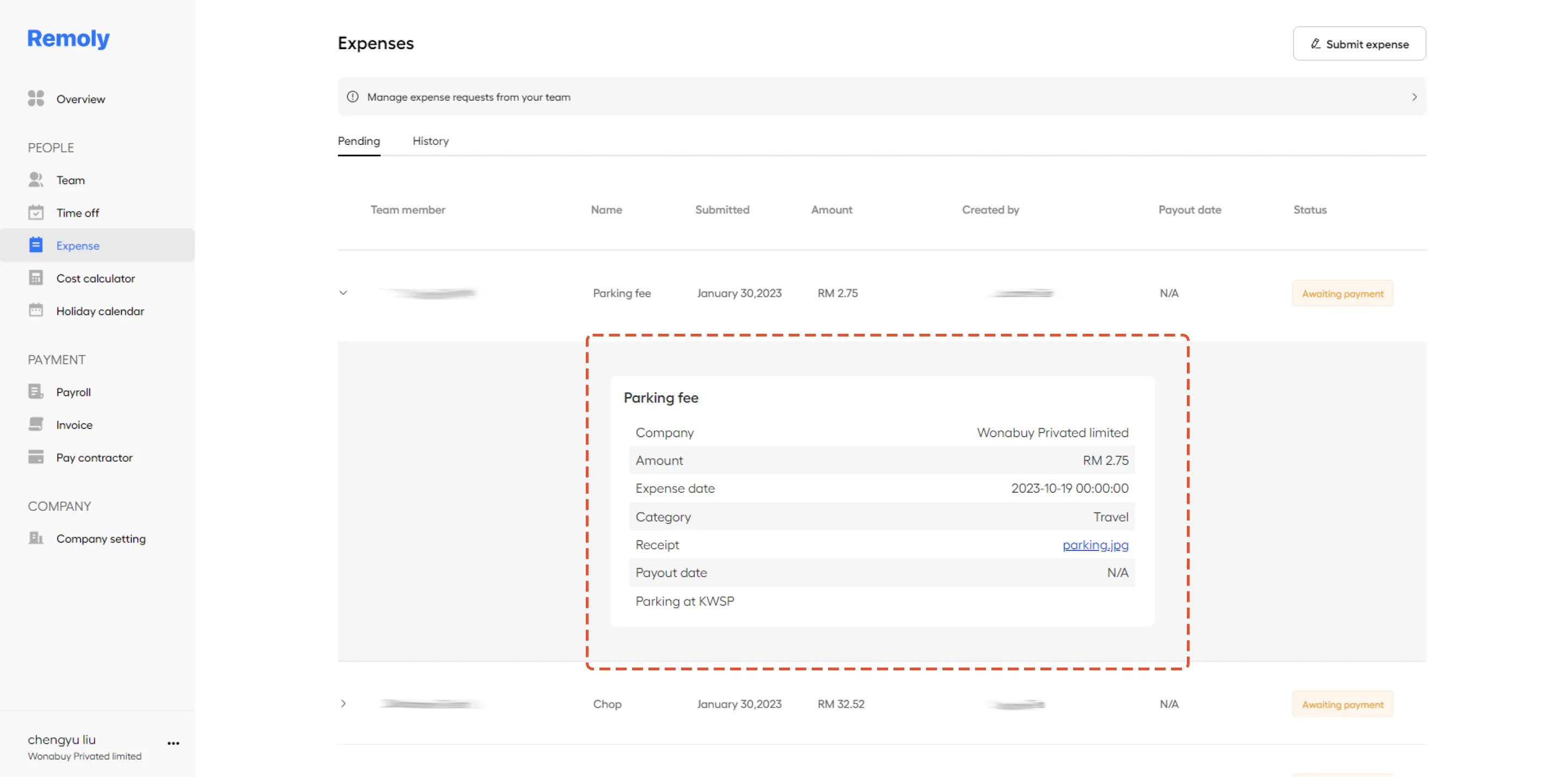
3. Select the Member
Click on the member’s name to open their expense record and view the details of the pending request.
4. Edit the Expense Details
Make any necessary changes to the expense information. Once you have updated the details, be sure to save the changes to ensure that the revised information is recorded.
By following these steps, you can efficiently manage and update expense requests within Remoly, ensuring accuracy and completeness in your expense reporting.
|
Take Control of Your Team's Expenses Expense management doesn't have to be tedious. Remoly's integrated expense tracking and approval system makes it easy to manage, review, and reimburse expenses across your entire global workforce. See Remoly in Action |
Sources:
Remoly — Your Global EOR & Employer of Record Partner
Serving 100+ Countries & Regions Worldwide
* This article is for informational purposes only and does not constitute legal advice. For specific compliance guidance, consult a qualified professional.
Related Articles
