Adding Contractors to Your Team: A Step-by-Step Guide


Adding Contractors to Your Team: A Step-by-Step Guide
1. Access your Remoly Backend
Log in to your Remoly account using your admin or management credentials. Navigate to the backend or administrative dashboard where you manage your team's information.
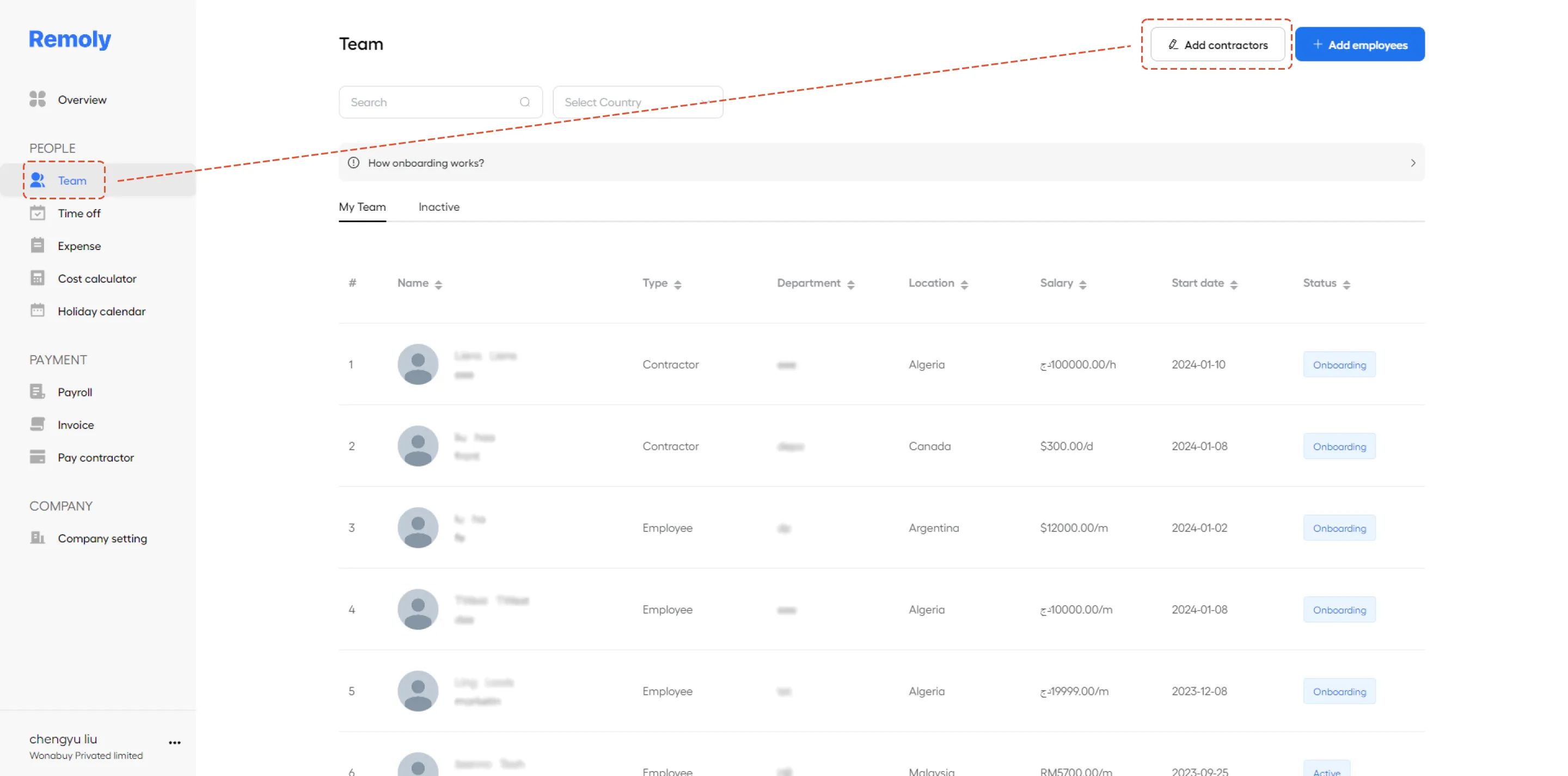
2. Locate the "Team" Section then Add Contractors to Your Team
On the backend dashboard, find and select the "Team" section. This is typically where you manage all team members, including full-time employees and contractors.
In the "Team" section, look for an option to add new members or contractors. This might be a button or link labeled "Add Contractor" or something similar.
3. Complete the Necessary details for Each Individual
For each contractor you add, fill out the required fields. This usually includes:
- Basic Information: such as name, contact details, and possibly a profile picture.
- Job Details: including the contractor's role, responsibilities, and any relevant project or task assignments.
- Compensation: information on payment terms, rates, and any other compensation details relevant to the contractor's engagement.
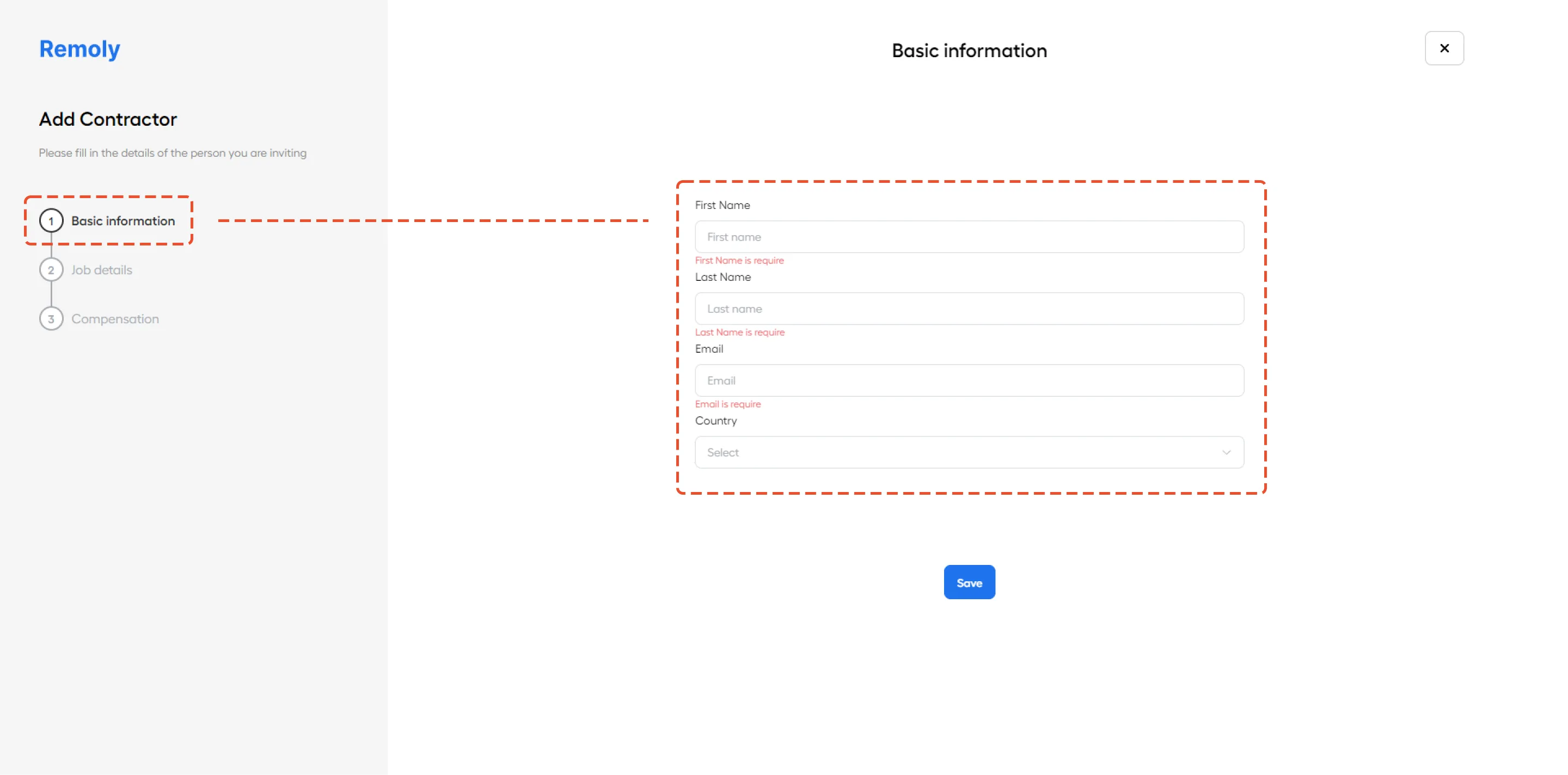
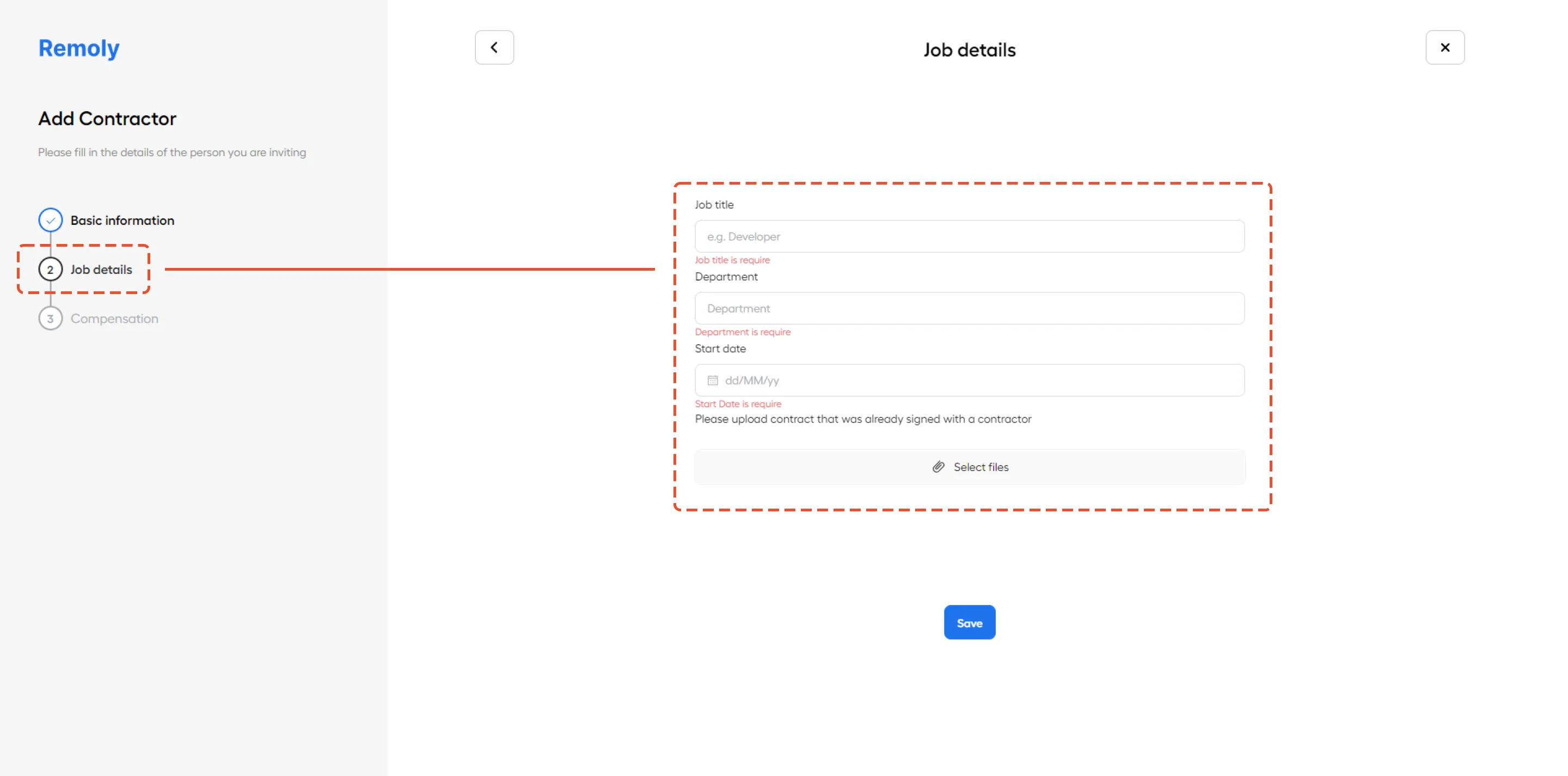
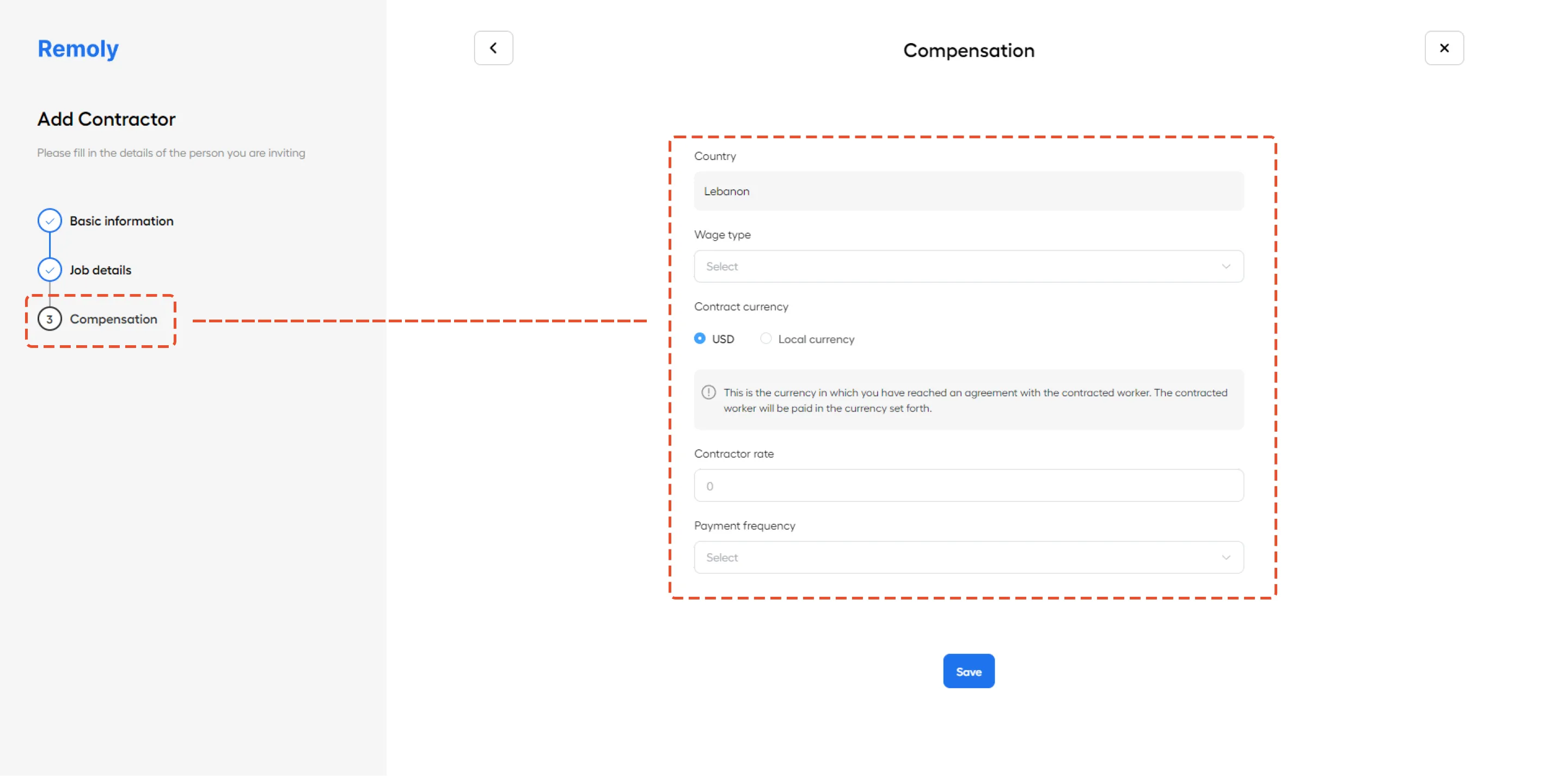
Ensure that all details are accurate and complete to facilitate smooth management and payment processes. Once you've filled in the necessary information, save or submit the changes to update your team roster with the new contractors.
|
Expand Your Global Talent Pool with Confidence Adding international contractors to your team is easy with Remoly. We handle contractor compliance, payments, and documentation so you can focus on building your dream team without borders. Hire Contractors Globally |
Sources:
Remoly — Your Global EOR & Employer of Record Partner
Serving 100+ Countries & Regions Worldwide
* This article is for informational purposes only and does not constitute legal advice. For specific compliance guidance, consult a qualified professional.
Related Articles