Creating an Invoice for a Contractor is Easy with These Steps
Creating an invoice for a contractor is a straightforward process. Follow these steps to ensure accuracy and efficiency:
Access the 'Pay Contractor' Section
Start by navigating to the 'Pay Contractor' section. This is where you'll manage all payment-related tasks for your contractors. You’ll see a checklist with the names of all contractors. Carefully review the list and select the contractor for whom you want to create an invoice.
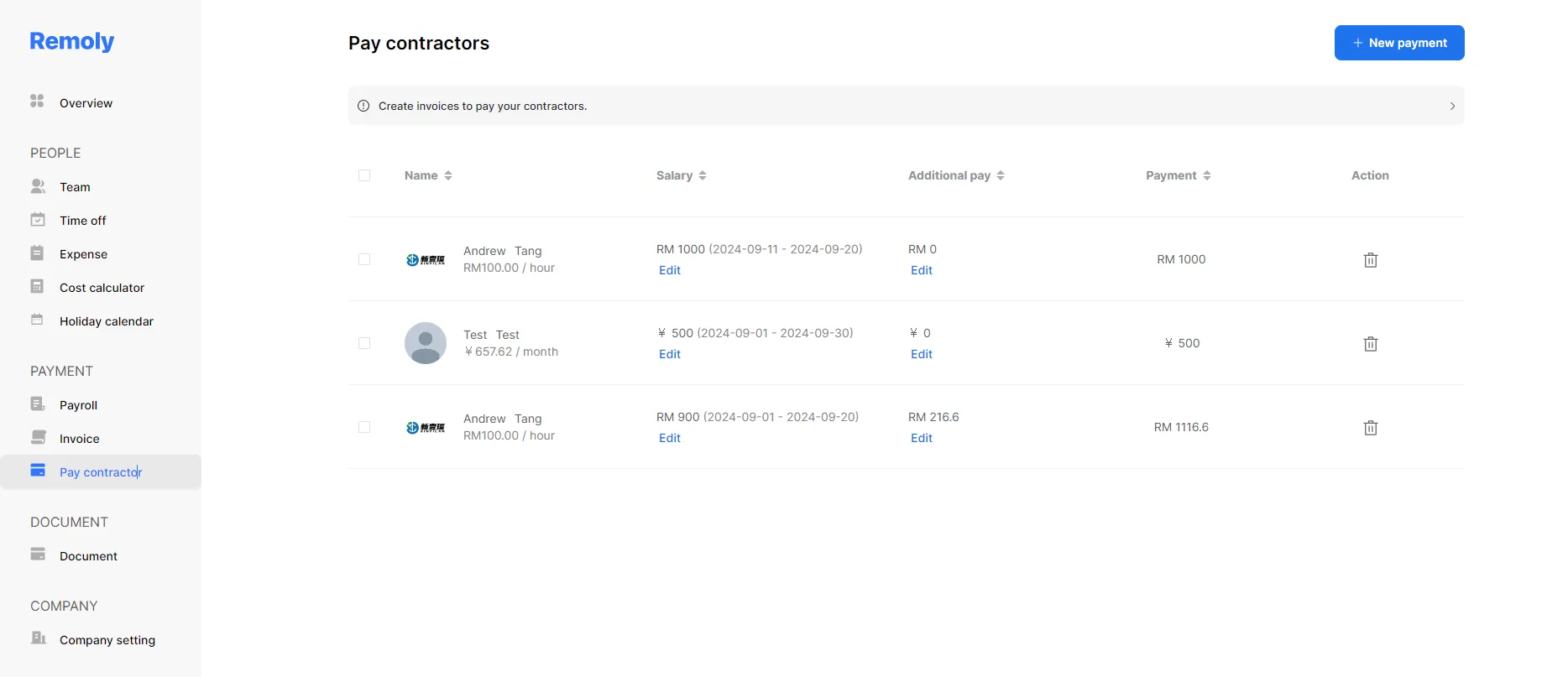
Review and Adjust the Pay Rate
Before creating the invoice, it's important to verify the contractor's pay rate. Doing so ensures that the invoice is accurate and reflects the actual work completed, preventing any potential errors in payment.
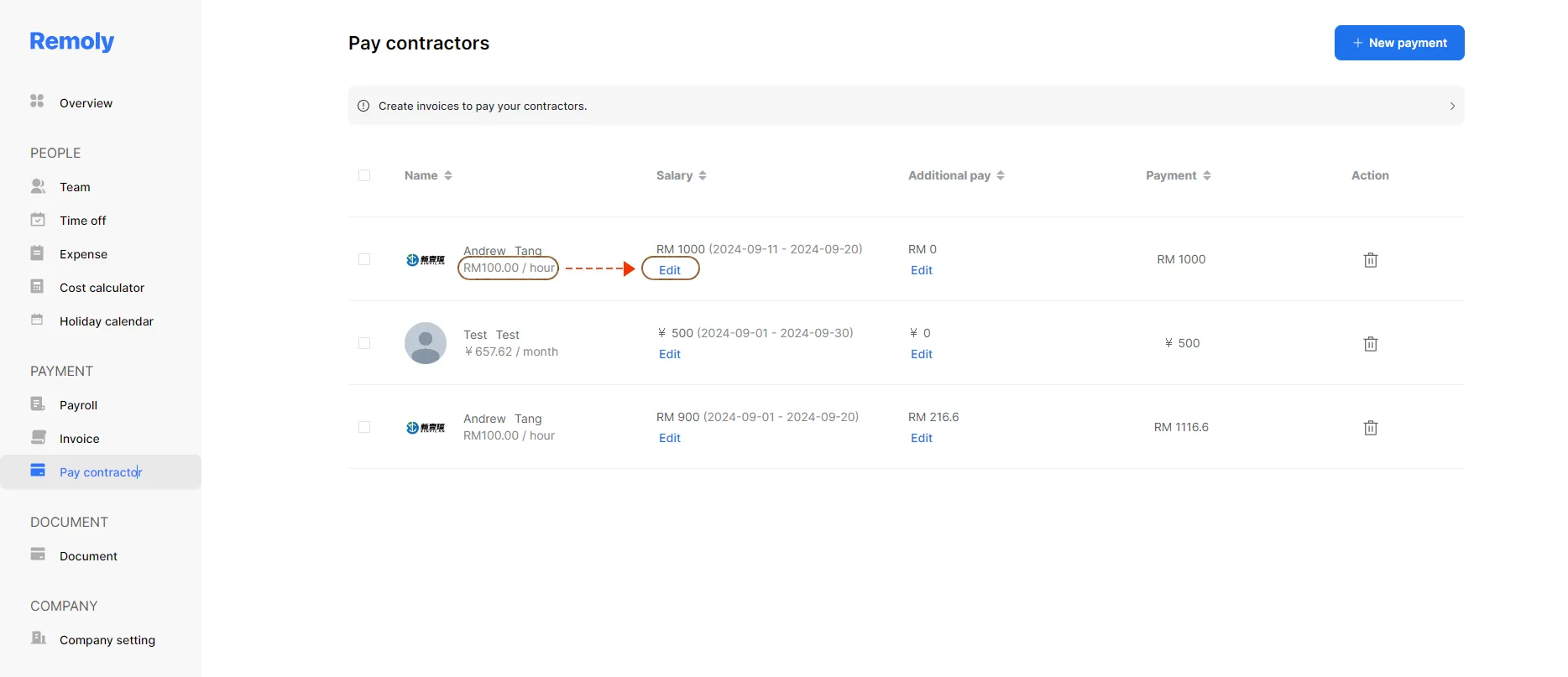
Next, click on the 'Edit' button next to the contractor's name.
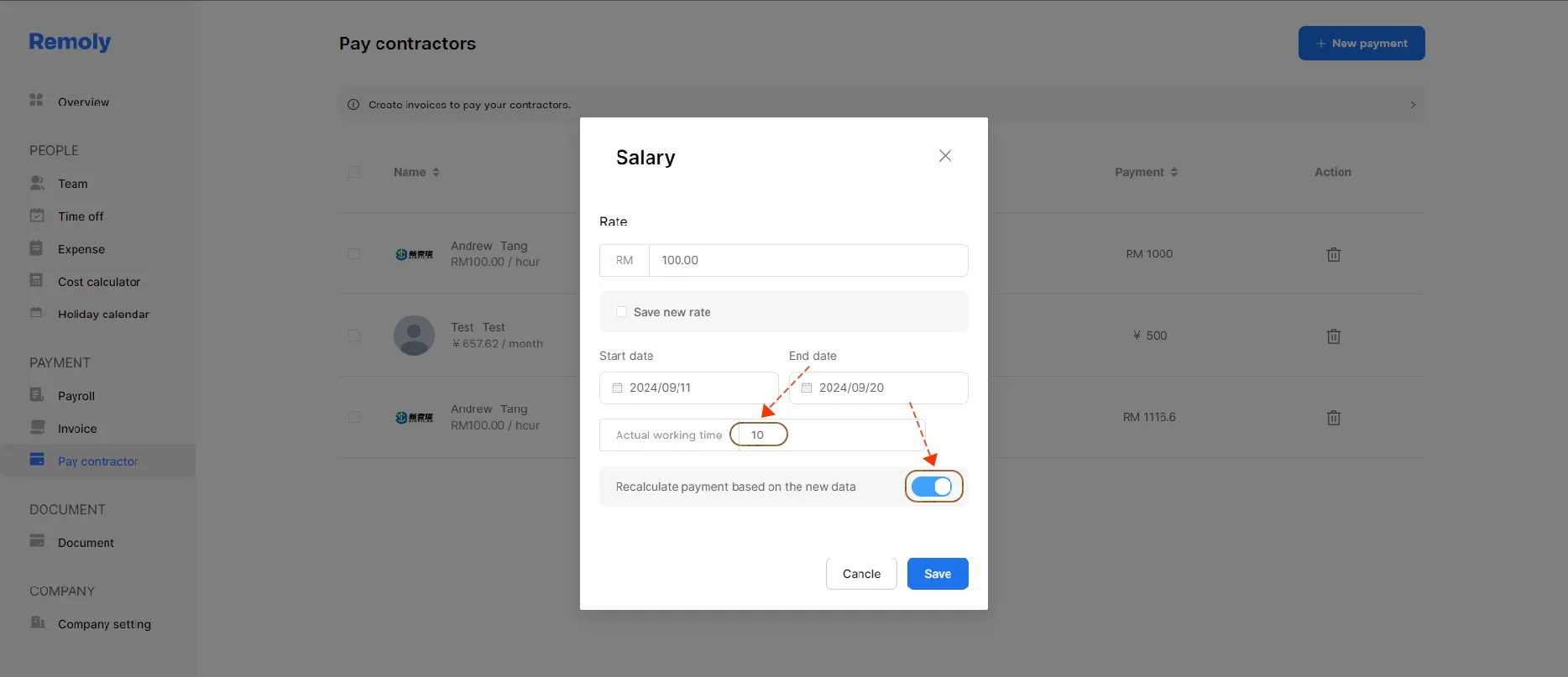
In this section, employers can adjust the actual hours or days worked by the contractor. This step ensures that the invoice reflects the accurate compensation.
Generate the Invoice
After selecting the contractor's name, proceed with generating the invoice. Ensure that all details are correct before finalizing the invoice to avoid any discrepancies.
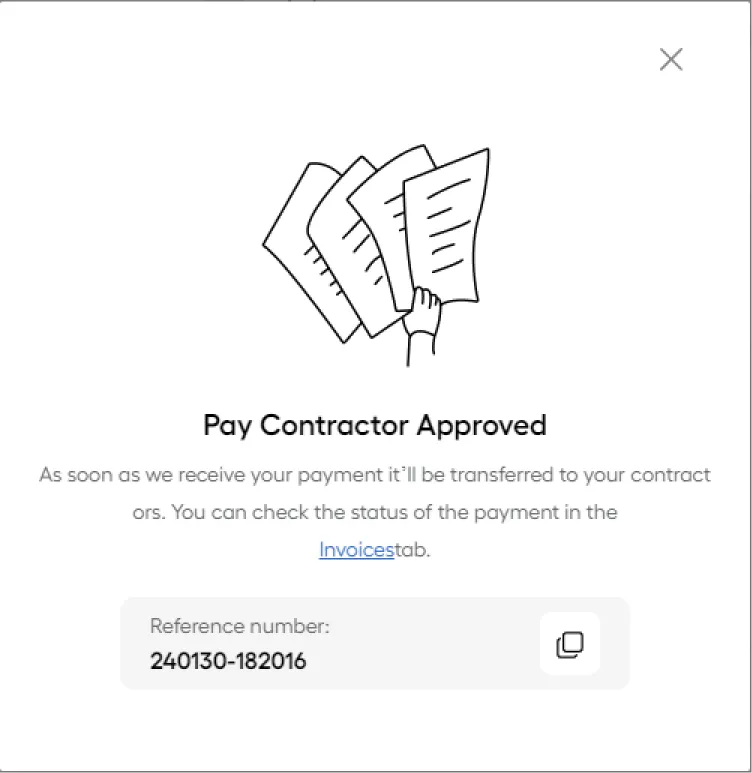
Important!
After making changes to the pay rate, the system will automatically recalculate the salary based on the configured salary rate settings.
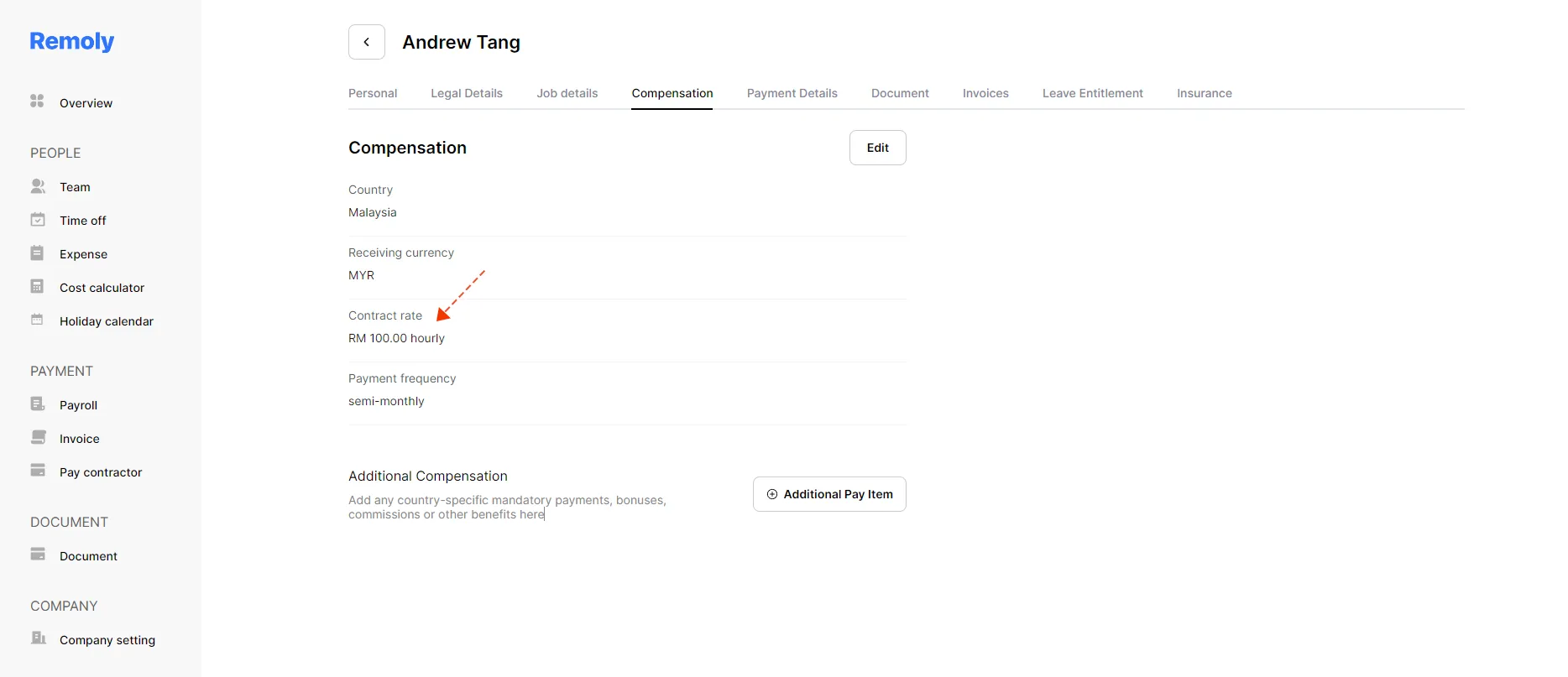
You can check to make sure by going to the 'Team' section, clicking on the selected contractor's name, then choosing the 'Compensation' tab to view the updated details.
|
Effortless Contractor Payments, Globally Creating invoices for contractors is just the beginning. Remoly handles end-to-end contractor management, including compliant payments, tax withholding, and reporting in 100+ countries. No more administrative headaches. Discover Contractor Management |
Sources:
Remoly — Your Global EOR & Employer of Record Partner
Serving 100+ Countries & Regions Worldwide
* This article is for informational purposes only and does not constitute legal advice. For specific compliance guidance, consult a qualified professional.
Related Articles
