
Adding Time Off: A Quick Guide
Managing employee time off is a crucial aspect of workforce management. With Remoly, adding time off for your team members is quick and straightforward. Follow these simple steps to ensure that time off requests are accurately recorded.
1. Access the "Time Off" Section
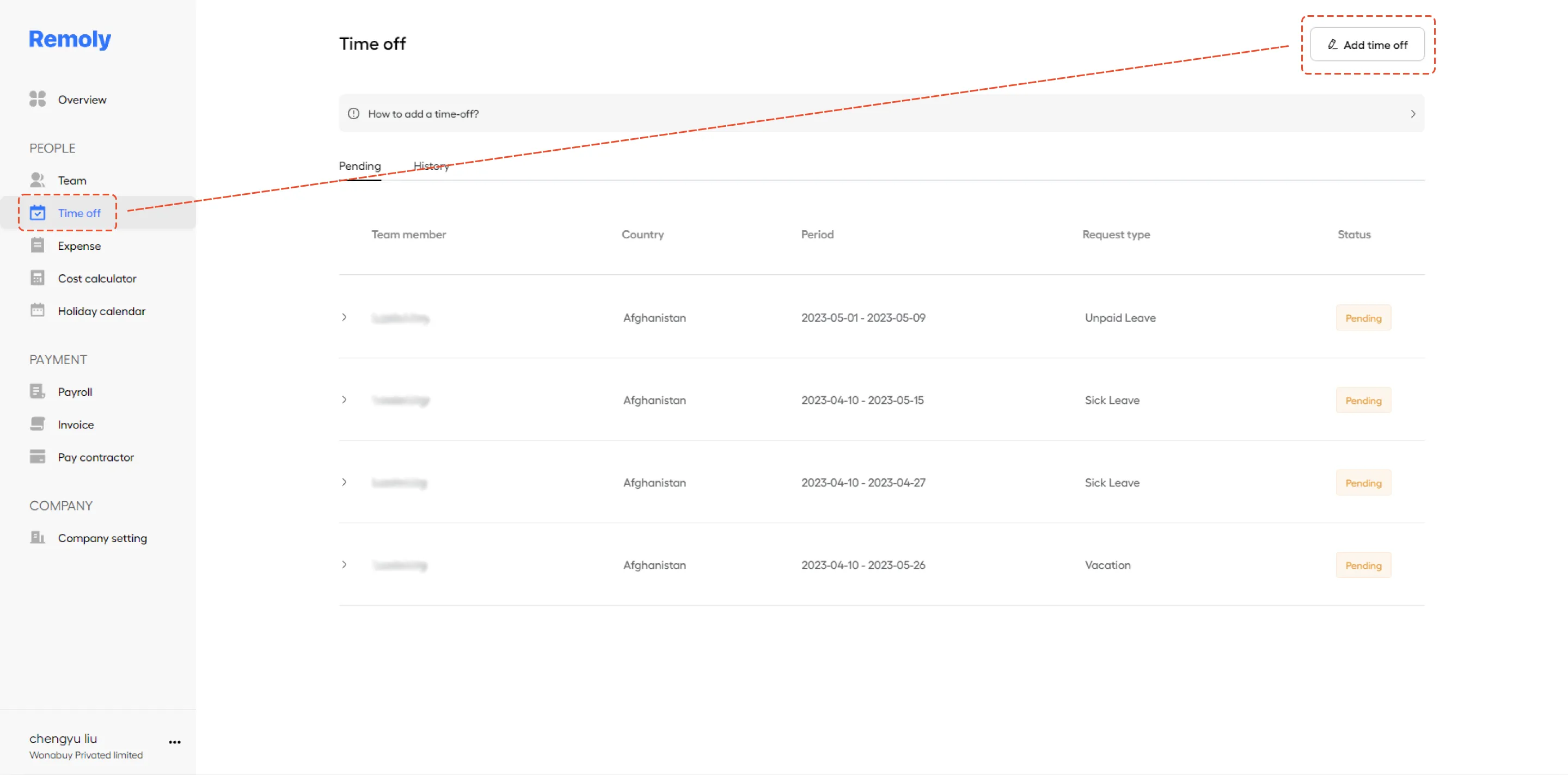
To begin, log into your Remoly account. Once you're on the dashboard, navigate to the "Time Off" section. This section is typically found under the 'PEO servicesple' menu, where you manage various HR functions such as attendance, leave management, and employee schedules.
2. Click on "Add Time Off"
In the "Time Off" section, you'll find an option labeled "Add Time Off." Click on this button to start the process. This will open a form where you can enter details about the time off request.
3. Select the Employee and Enter Details
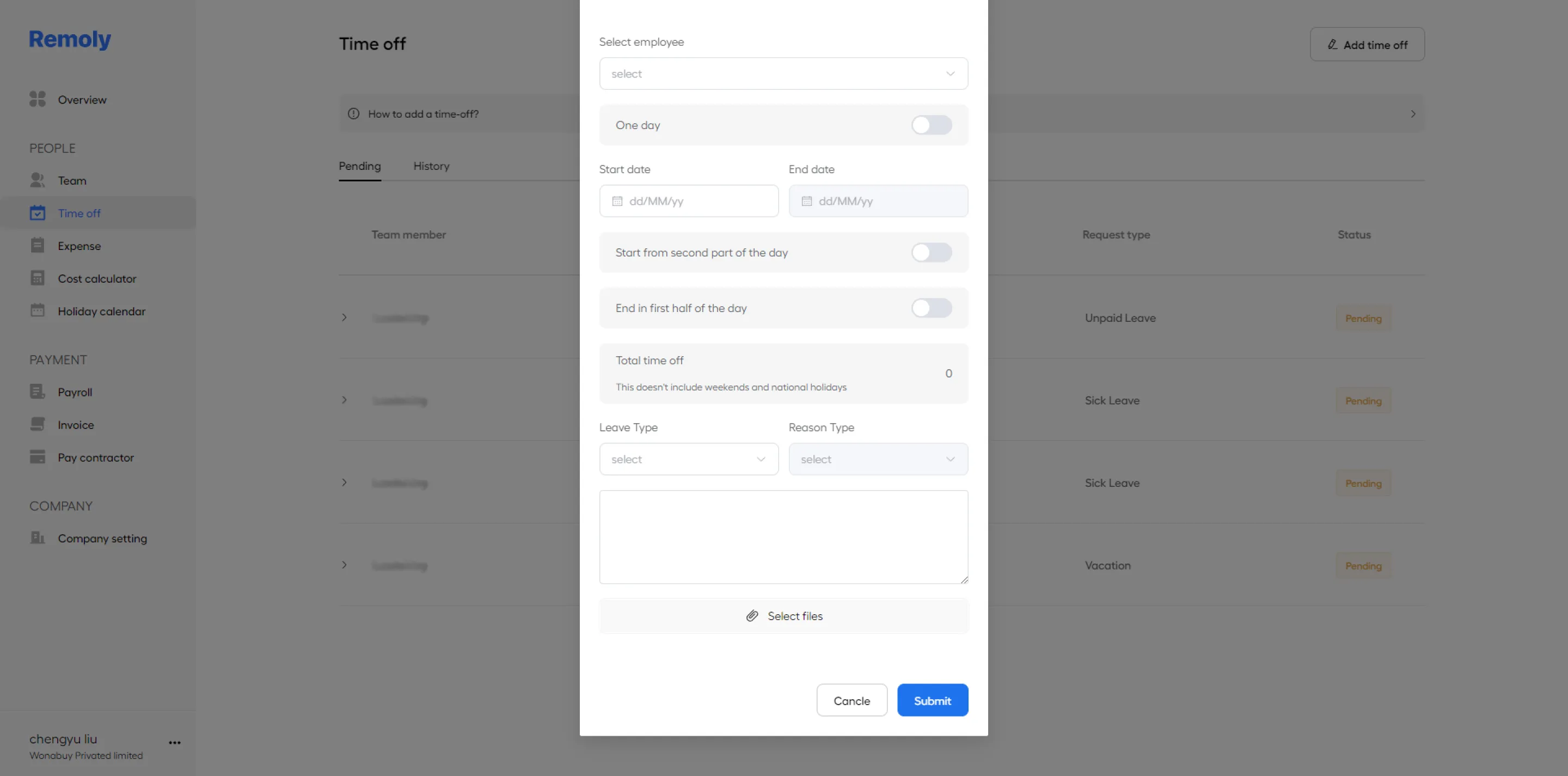
Choose the employee who is requesting time off from the dropdown menu. Once selected, fill in the necessary details, including the type of leave (e.g., vacation, sick leave, personal day), the start and end dates, and any additional notes. Double-check the information to ensure accuracy, then click "Save" to finalize the request.
[NOTE] Types of Time-Off:
- Vacation: Paid time-off for rest and relaxation.
- Sick Leave: Paid time-off for illness, injury, or medical appointments.
- Unpaid Leave: Not Paid time-off for personal reasons.
- Special Paid Leave: Designated days-off like giving birth.
Advance Notice:
Employees should request time-off with as much advance notice as possible, typically at least [5 days/weeks] before the requested date.
Approval:
Time-off requests are subject to approval by the employee's supervisor or department head.
Emergency Situations:
In case of unexpected absences due to emergencies or sudden illness, employees must notify their supervisor as soon as possible.
Accurate time off management helps maintain team productivity, ensures global employment compliance with labor laws, and improves employee satisfaction. By using Remoly’s time off feature, you can streamline this process, reducing errors and saving time.
|
Manage Time Off Across Borders Effortlessly Different countries, different leave policies. Remoly automates time-off management with built-in compliance for local labor laws, accrual rules, and public holiday calendars across 100+ countries. See How Time Off Works |
Sources:
Remoly — Your Global EOR & Employer of Record Partner
Serving 100+ Countries & Regions Worldwide
* This article is for informational purposes only and does not constitute legal advice. For specific compliance guidance, consult a qualified professional.
Related Articles